> For the complete documentation index, see [llms.txt](https://docs.folio.works/llms.txt). Markdown versions of documentation pages are available by appending `.md` to page URLs; this page is available as [Markdown](https://docs.folio.works/for-companies/sign-up-for-an-employer-account.md).
# Set up your organization
Set up your employer account, introduce your company, and invite the people who will help manage hiring.
## Accept your invitation
Employer accounts are invitation-only. Open your invitation, create your account, and confirm your email. Review your name and company details, then select **Get Started**. The interview calendar link is optional.
Your organization opens on **Team**, where clinicians appear after accepting an offer.
## Complete your company profile
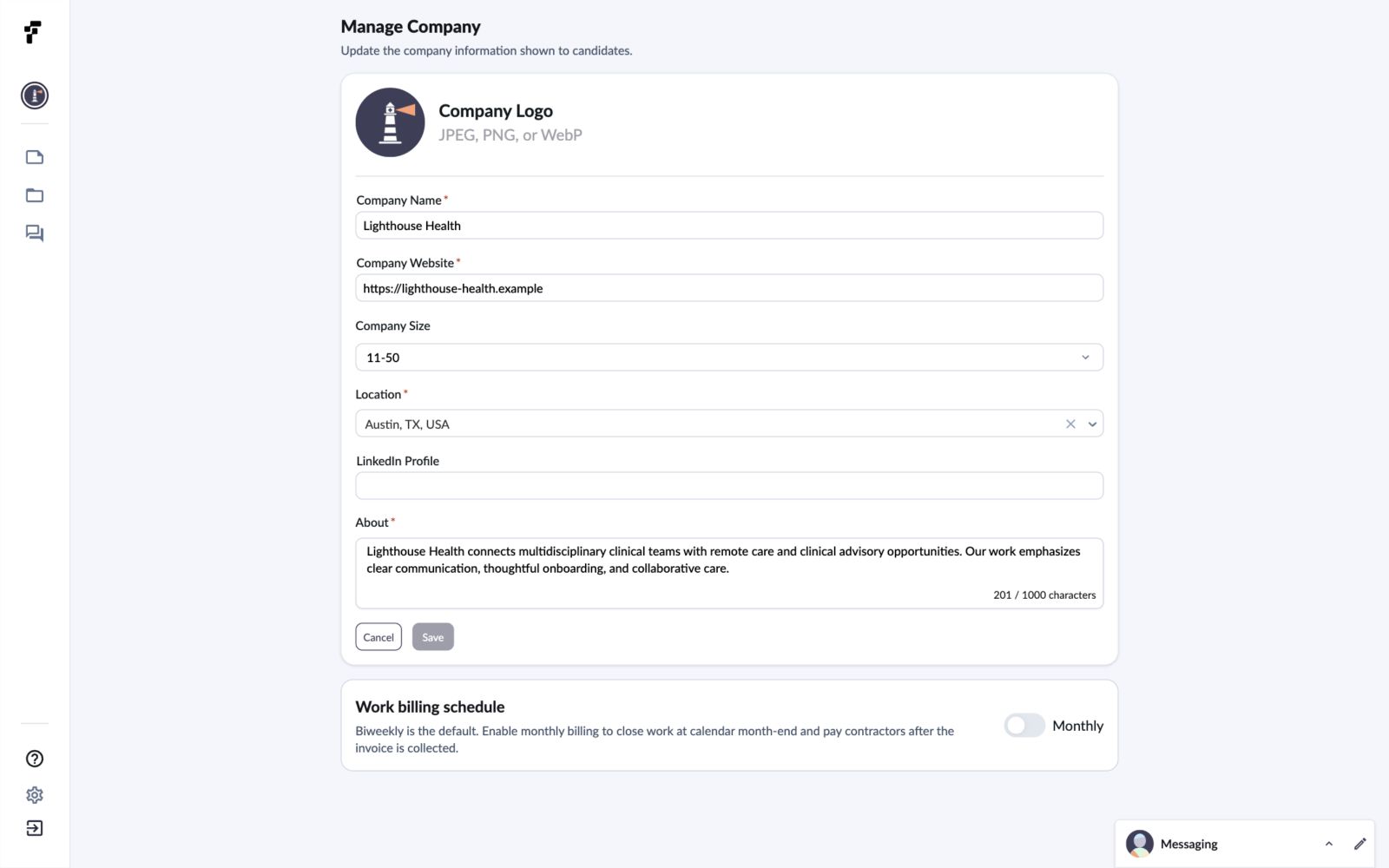
Select **Manage Company** to update the information shown to candidates. Add your location and a short company description, review your website and company size, then select **Save**. A company website is required to save changes.
You can also update your company name, logo, and LinkedIn profile from this page.
Company information
## Invite your colleagues
Open **People** and select **Add members**. Enter an email address and press Enter to add it to the invitation. Review the role, then select **Email Invites**.
The invitation appears as **Pending** until the recipient joins. Pending invitations have **Resend Invitation** and **Cancel invitation** controls.
**People** lists your internal colleagues. **Team** lists clinicians working with your organization.
## Check billing readiness
Open **Payments** to review organization billing. If no default payment method is configured, you’ll see **Set up organization billing** and a **Set up payment method** button. Folio requires a default payment method before you can create an offer. Follow [Set up billing and choose a billing schedule](/for-companies/work-billing.md).
Billing history appears below the setup notice.
## Common questions
Why is Team empty?
Clinicians appear here after accepting an offer. Your colleagues and pending invitations are listed under **People**.
Where do I edit the company description?
Open **Manage Company**, update **About**, and select **Save**. The field allows up to 1,000 characters.
Do I need an interview calendar link to finish setup?
You can finish setup without an interview calendar link. Add one in **Settings → Account** when you’re ready to invite applicants to schedule.